
Song Request App for DJs: How QR Requests Actually Work
Learn how QR song request apps work for DJs, from guest scanning and song search to request approval, queue management, tipping, and playback.
By
Rohan Mehta
Published
Oct 15, 2026

A QR song request system creates a digital bridge between the dance floor and the booth. Instead of approaching the DJ in the middle of a mix, a guest scans a code placed on a table, screen, poster, or venue card. The code opens a lightweight request page where the guest can search or type a song, attach a message if the platform supports it, and submit the request. The DJ receives it in a separate performer interface.
The best systems keep this flow intentionally short. At a noisy event, every extra login screen or mandatory download reduces participation. That is why many current tools use a browser page for guests, even when the DJ has a dedicated app.
Step 1: The DJ or Venue Starts an Event
Step 2: The Guest Scans and Requests
Step 3: The Request Reaches the Performer
Step 4: The DJ Keeps Editorial Control
Step 5: The Request Becomes Data
What to Test Before Using QR Requests Live
- Cross-Platform Compatibility: Run the whole journey before your first event. Test the QR scanning flow from both iPhone and Android devices.
- Connectivity Stress Test: Check how the web request page loads on weak mobile data or congested venue networks.
- Queue Moderation & Edge Cases: Submit duplicate requests, reject a track, and test what a guest sees after their submission is turned down.
- Monetization & Payouts: Verify how payments, performer tips, or digital gifts are handled and tracked in the performer console.
- Glanceable Performer UX: Make sure the request screen can be parsed in a single glance. If the performer needs to stop mixing to operate the tool, the workflow is not ready for the booth.
Conclusion
QR song request apps succeed when they respect the boundaries of both the guest and the DJ. By removing physical interruptions and replacing them with a fast, browser-based submission flow and robust performer moderation, the right system keeps the dance floor engaged while leaving full sonic control where it belongs—in the hands of the artist.
Never miss music licensing & industry updates
Add Tringbox as a preferred source to see our breakthrough guides, PPL/IPRS compliance updates, and acoustic trends first on Google Search & Discover.
Recommended for you

Song Request Apps in India: A 2027 Comparison for DJs and Venues
India is a different operating environment when it comes to live entertainment. Song request software is often reviewed as if every venue operates the same way, but India is far more complicated. A busy restobar may move between background music and a live DJ in the same evening. A café may host an acoustic performer on weekends but use managed background music during the week. Weddings involve multiple languages and rapidly changing crowd expectations. Clubs need speed, while premium hospitality venues care about brand control.
That makes an India-focused comparison less about which app has the most global integrations and more about how well the request product fits venue operations, performer workflows, payments, local support, and the transition between background and live music.
The Future of Business Music: From Playlists to Context-Aware In-Store Media
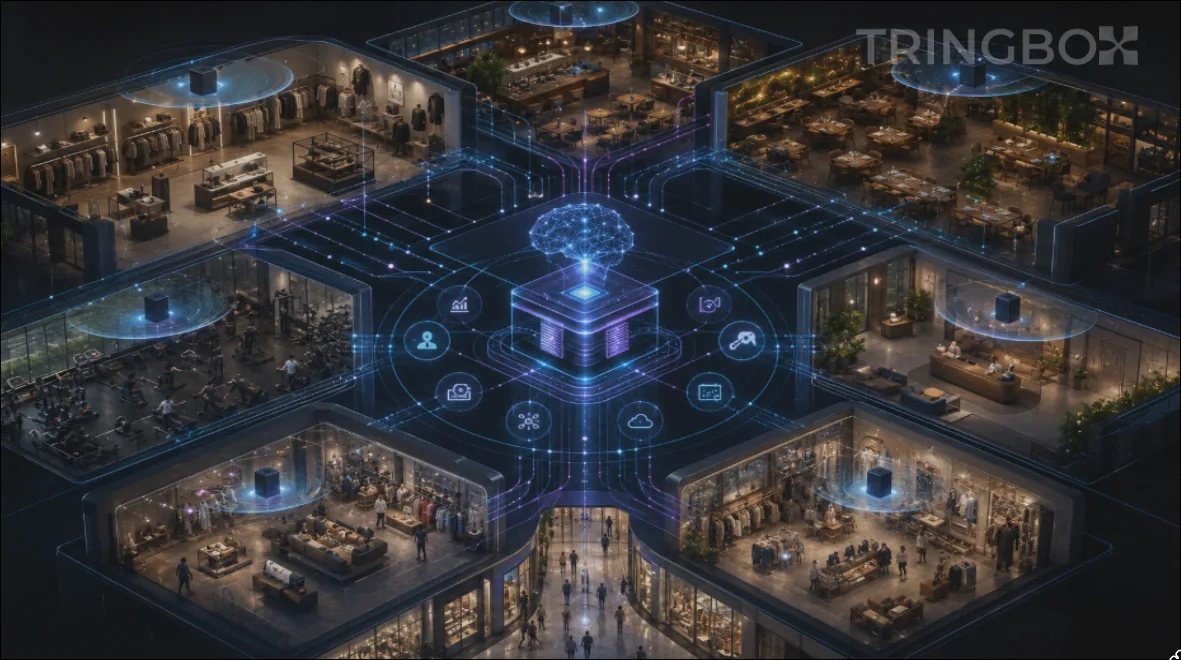
The next generation of commercial business music will not be defined by who possesses the largest digital catalogue. In an era where cloud streaming has commoditized access to tens of millions of licensed tracks, raw library volume has become a baseline operational expectation rather than a competitive differentiator.
The true strategic frontier of physical commercial audio is shifting rapidly toward orchestration: how acoustic soundscapes intelligently adapt across brand personas, physical venues, operational dayparts, architectural sub-zones, promotional marketing campaigns, and real-time environmental context. Static, looped playlists pushed from a desktop folder are rapidly being rendered obsolete.
This structural transition is already unfolding across the global enterprise landscape. Leading industry commentary projects a deep, agentic convergence between machine-learning automation and expert human curation—transforming physical retail and hospitality spaces into fully unified experiential environments where background sound, promotional voice messaging, digital signage, and lighting work in seamless concert.
Commercial audio is shedding its legacy reputation as passive store decoration and emerging as an essential media operating system for physical real estate. In this forward-looking blueprint, we explore how business music is evolving into context-aware media, how artificial intelligence manages operational nuance at enterprise scale, and how Tringbox AI is defining the category of In-Store AI Music for modern multi-location brands.
Explainable AI for Business Music: Why “The Algorithm Chose It” Is Not Enough
Artificial intelligence can effortlessly make thousands of complex music sequencing decisions across hundreds of store locations without a single moment of human intervention. However, in an enterprise corporate environment, mathematical scale is completely useless if the business cannot trust the boundaries of the system. When a regional operations manager calls headquarters to ask why a highly unusual or off-brand track played during the Friday evening rush, answering with “the algorithm chose it” is a fundamentally unacceptable operational response.
Modern commercial automation requires deep operational explanations. Store managers, brand directors, and legal teams need to understand the precise mechanical logic behind their acoustic environment. The solution to this 'black box' problem is a rapidly growing field of computer science known as Explainable AI (XAI).
In commercial audio, explainability transforms subjective musical curation from a mysterious digital magic trick into a highly auditable, governable business process. In this technical guide, we explore why enterprise brands require explainable AI, how to map algorithmic decisions to concrete business logic, and how Tringbox AI utilizes transparent decision pipelines to guarantee ultimate brand safety.
Relevance vs Novelty: The Recommendation Problem Every Business Playlist Eventually Faces
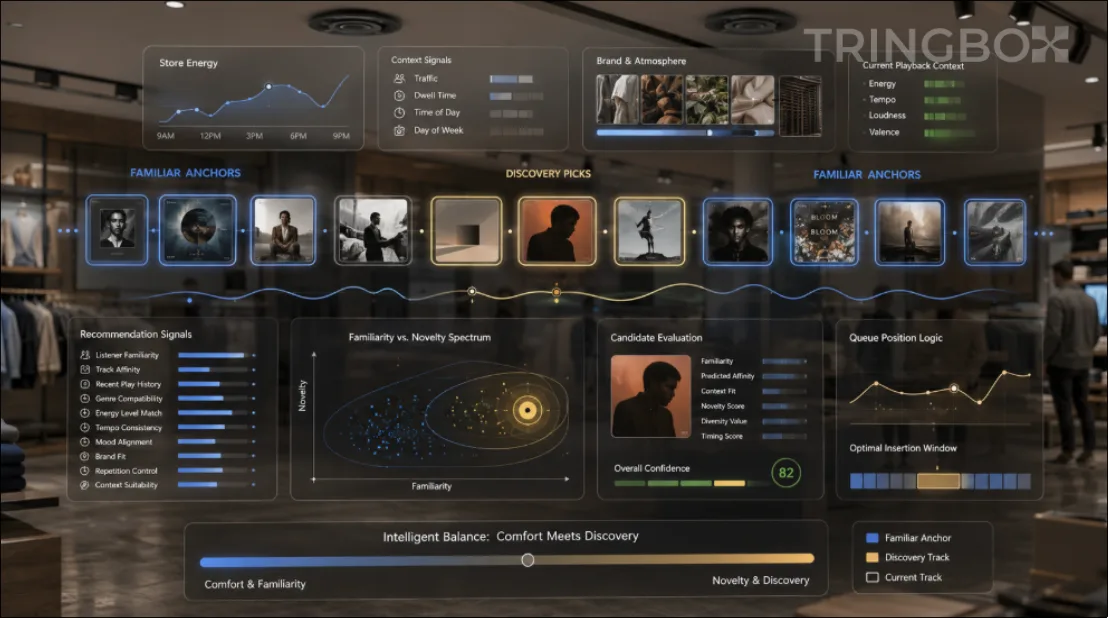
In the complex world of commercial audio curation, a recommendation system that always strictly chooses the absolute safest, most mathematically accurate track will eventually and inevitably become agonizingly boring to everyone in the room. Conversely, a system that constantly searches for extreme surprise and avant-garde discovery will rapidly become wildly inconsistent, alienating core customers and destroying the brand's established identity. The fundamental architectural problem facing modern retail and hospitality brands is not simply finding good music; it is masterfully balancing relevance with novelty across thousands of hours of continuous playback.
This complex trade-off is a well-established dilemma in advanced recommender-system research. In the early days of algorithmic curation, developers focused entirely on 'accuracy'—the probability that a specific track perfectly matched a given set of acoustic tags. However, accuracy alone completely fails to capture whether a continuous recommendation list is actually diverse, fresh, or psychologically engaging over an eight-hour staff shift. Modern academic researchers and data scientists increasingly evaluate algorithms based on 'beyond-accuracy' qualities, specifically focusing on four distinct pillars: diversity, novelty, serendipity, and catalogue coverage.
For multi-location enterprise business music environments, these theoretical data-science concepts translate into direct, measurable operational value. When a music platform fails to manage this balance, operations executives receive endless complaints from store staff about crushing repetition, even when the software claims the music is perfectly 'on-brand.' In this deeply comprehensive technical guide, we will explore exactly why algorithmic homogenization occurs, how dynamic queues function differently than static playlists, and how Tringbox AI utilizes a sophisticated 'explore-exploit' model to guarantee that your brand's soundtrack remains infinitely fresh without ever sacrificing corporate brand safety.

Human Curation vs AI Curation: Why Business Music Needs Both
The modern debate surrounding commercial audio curation is almost universally framed as a high-stakes binary competition: either an intuitive human musicologist hand-crafts the soundscape using emotional nuance and cultural awareness, or an algorithmic artificial intelligence engine takes over with mathematical precision, automation, and infinite catalog scale.
In the complex, multi-layered reality of enterprise business operations, that oppositional framing is fundamentally flawed. Human curation and artificial intelligence are not competing against one another; they are engineered to solve two completely different dimensions of the same operational problem.
Human sound architects are uniquely gifted at deciphering meaning, cultural subtext, and emotional resonance. A human curator instantly grasps why an otherwise perfect, mid-tempo song feels completely off-brand inside an ultra-luxury boutique, why a specific lyric creates awkward tension inside a family dining room, or why a trending regional track carries negative historical or political baggage that audio metadata will never show.
Conversely, algorithms excel at mathematical scale, memory retention, and tireless operational execution. An algorithm never forgets a recency rule, effortlessly evaluates hundreds of thousands of tracks against complex negative constraints, calculates real-time transition crossfades, and adapts the sound across five thousand stores simultaneously without experiencing fatigue.
The ultimate enterprise business music system does not choose between them. It leverages human expertise to define and govern the non-negotiable brand taste system, while deploying Tringbox AI to execute, scale, and continuously optimize playback within those boundaries.
Beyond BPM: What a Business Music Algorithm Should Actually Understand
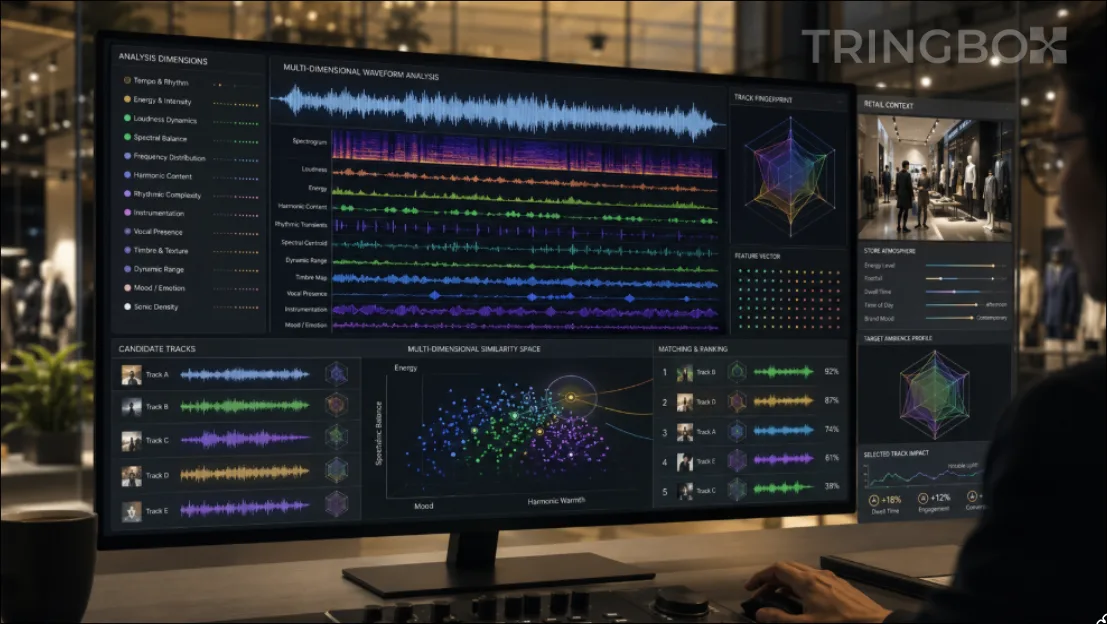
Beats Per Minute (BPM) is immensely attractive to software developers and retail executives because it appears straightforward. It assigns a clean numerical integer to an audio file, offering the seductive illusion that the emotional art of store atmosphere can be reduced to basic arithmetic. However, relying on tempo alone is one of the fastest ways to destroy in-store brand ambience.
Two songs can clock in at the exact same 110 BPM while generating completely contradictory psychological environments. One recording might be an understated, delicate acoustic ballad featuring gentle finger-picked guitar and whispery vocals—ideal for an intimate afternoon coffee shop or a quiet boutique consultation. The other might be a brutally compressed, industrial electronic track dominated by aggressive sub-bass drops and loud distorted synths—better suited for an intense underground CrossFit gym. An algorithm that evaluates music through the solitary lens of BPM will routinely make confident, disastrous curation errors on the retail floor.
Modern commercial spaces are complex, living environments. A customer reading a menu, trying on clothes, or consulting on luxury jewelry interacts with acoustic frequencies on multiple sensory layers. A business music selection algorithm must look far beyond raw tempo to understand physical audio features, semantic cultural metadata, live commercial context, and strict governance rules. In this comprehensive technical breakdown, we explore the multi-dimensional feature stack required to build an enterprise-grade retail music algorithm, and how Tringbox AI transforms subjective brand strategy into robust, explainable mathematical selection.

Playlist Repetition Is a Product Problem: How Business Music Systems Should Manage Freshness
In the daily operations of a multi-location retail or hospitality brand, there is a fundamental, unavoidable asymmetry in how audio is experienced: the customer journey versus the employee shift. A walk-in customer may visit a premium apparel store or sit in a specialty coffee shop for thirty to forty-five minutes. During that brief window, a static, unmanaged playlist might sound perfectly pleasant, coherent, and on-brand. However, the store employees—the cashiers, the baristas, the floor managers, and the visual merchandisers—are subjected to that exact same acoustic environment for eight to ten hours a day, five to six days a week.
That extreme disparity in exposure time makes playlist repetition one of the most severely underestimated operational problems in the entire business music industry. When operations executives receive complaints from store staff that 'the music is driving us crazy,' their first instinct is usually to blame the size of the catalog. The common corporate response is to simply demand a larger playlist with more tracks. But adding more tracks to a broken mathematical sequence does not solve the root psychological issue. A massive playlist containing over 300 tracks can still feel painfully repetitive and monotonous if the same core artists cluster together, if a few high-scoring songs are selected too often by a flawed algorithm, or if daypart schedules lazily restart from similar points every single morning.
Conversely, a much smaller, tightly curated catalog can feel remarkably fresh, dynamic, and engaging for weeks on end when the underlying sequencing logic, recency penalties, and artist spacing are designed intelligently. Therefore, solving music fatigue is not merely a manual curation issue; it is fundamentally a recommender-system product problem.
Modern recommendation engine research—the mathematics that power platforms like Netflix and Spotify—has evolved significantly over the last decade. It has moved far beyond simple 'accuracy' (finding a track that strictly matches the brand metadata) toward optimizing for complex, human-centric qualities such as diversity, novelty, serendipity, and catalogue coverage. In the context of in-store business music, a software system that always aggressively picks the mathematically 'closest' or 'most relevant' track to a brand profile will inevitably and gradually collapse into a narrow, repetitive loop. The absolute "most relevant" recommendation in isolation is very rarely the best next recommendation for a continuous ten-hour listening session. In this comprehensive technical breakdown, we explore exactly how enterprise platforms must manage musical freshness, why manual playlists are destined to fail at scale, and how intelligent systems protect both the brand identity and the employee's psychological well-being.

Beating the Wednesday Lull: How Predictive AI Audio Elevates Midweek Retail Dwell Time
Yesterday was Wednesday, August 5, 2026, representing the classic midpoint of the retail week. For operators running a Clothing Store or a multi-brand Grocery Store / Supermarket, Wednesday afternoons often bring a noticeable lull in store traffic. When a commercial floor is quiet, the lack of ambient background noise creates an intimidating acoustic dead zone where footsteps echo and shoppers feel uncomfortably observed. Traditional music players fail here because they rely on static playlists that neither understand the clock nor respect the shopper's mindset. Tringbox solves this midweek challenge using predictive Agentic AI. By combining time of day context, day of the week patterns, and live weather APIs, Tringbox autonomously crafts a warm, sophisticated auditory environment that encourages shoppers to linger longer and spend more, all while guaranteeing 100% royalty-free legal compliance.
Predictive Pacing in Kolkata: How Retailers Use Weather Data to Convert Monsoon Footfall
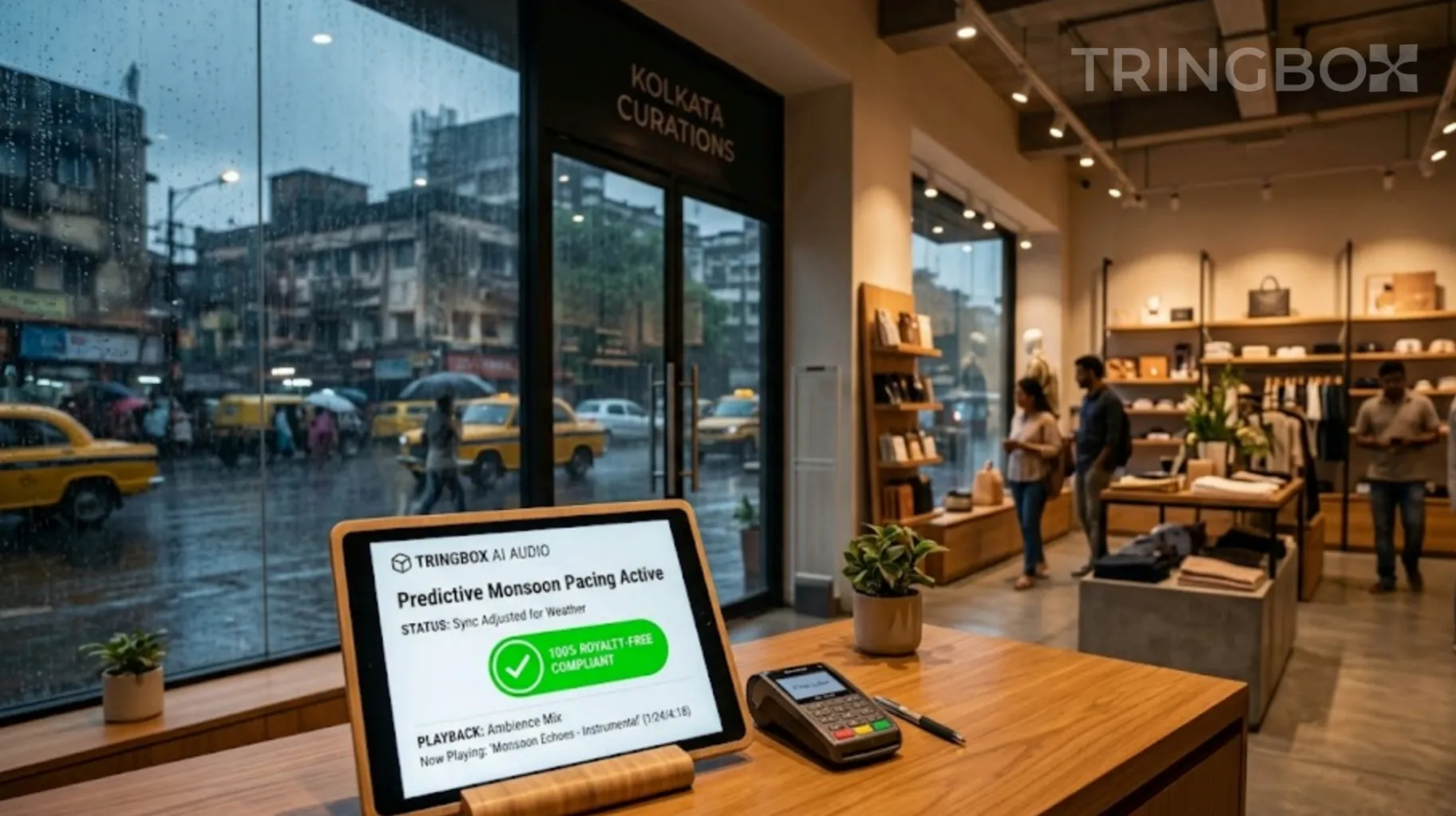
Yesterday was Saturday, August 1, 2026, and outside in Kolkata, the heavy monsoon downpours were creating the inevitable logicical slowdown. For a bustling `Grocery Store / Supermarket` or multi-brand electronics outlet, rain days traditionally mean a sharp drop in casual browsing. But consumers haven’t disappeared; they are merely seeking shelter. When dozens of pedestrians rush into your store to escape a downpour, you are presented with a unique, fleeting opportunity. They are a captive audience, but they are also damp, slightly stressed by the traffic chaos, and prone to transactional anxiety. Tringbox transforms this seasonal challenge into revenue. By pairing real-time local weather APIs with predictive Agentic AI and a massive, 100% royalty-free library, Tringbox dynamically adjusts your in-store audio to engineering a warm, welcoming, and high-converting sanctuary.

Tringbox Music for Stores: The Complete 2026 Master Guide to AI Audio Engineering, Shopper Neuro-Psychology, and Commercial Compliance
Walk into any popular retail showroom, luxury boutique, or commercial outlet along India's top high streets or premium shopping malls today—whether in Connaught Place in New Delhi, Palladium in Mumbai, or Brigade Road in Bengaluru—and you will see breathtaking physical spaces. Brands spend lakhs of rupees on sleek interior architecture, polished marble flooring, glass storefronts, and specialized lighting arrays designed to make their inventory pop. Yet, many of these exact same stores completely destroy their premium atmosphere the precise second a customer steps through the front door. The visual design is stunning, but the acoustic design is an absolute mess. The default operational habit for most store managers is to plug a staff member's personal mobile phone or tablet into an auxiliary cable and stream an unmanaged consumer playlist loaded with sudden genre jumps, abrupt volume spikes, or explicit lyrics.
This casual approach is a major operational mistake that directly damages retail sales. Background music for stores, cafes, hotel lobbies, and wellness spaces is not mere background noise meant to fill empty space; it is a fundamental driver of consumer psychology, dwell time, and floor revenue. When a retail store plays random music, it creates immediate cognitive friction for walk-in shoppers, making premium items look less valuable, irritating front-line sales consultants, and prompting shoppers to exit before making a purchase. Modern retail brands require an automated, intelligent audio setup that automatically matches their brand value, adapts dynamically to live environmental changes, and completely insulates them from legal copyright audits. This is exactly why leading retailers are upgrading their physical spaces with Tringbox InStore AI Music for Stores. In this definitive master guide, we break down the neuro-psychology of retail soundscapes, how to control customer behavior using real-time audio mapping, and how to secure your business legally with zero hassle.